


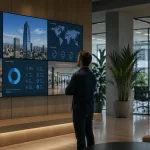
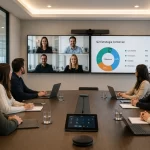
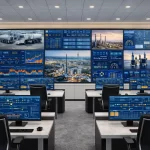
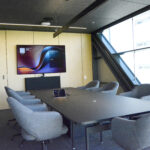

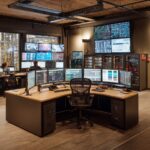
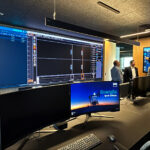




Just as you create a meeting agenda and invitation in advance, companies need to prepare the room with all the necessary equipment to start on time and run smoothly. To make sure you cover everything, we recommend working from a meeting room equipment checklist. That way you reduce surprises and improve the effectiveness of every meeting. From video conferencing tools to reliable connectivity and ergonomic furniture, every detail plays a key role in the success of your business discussions. Depending on the type of meeting, different equipment is needed. In some cases participants may bring their own materials; if so, note it in the invitation. Otherwise, the company should ensure the room has everything essential for a successful meeting. If you use small meeting rooms or prefer stand-up meetings, the equipment should be adapted to that format. For larger meetings and conferences, you'll likely need a higher level of equipment. So what are the main needs of your room? Setting up a meeting room might seem straightforward, but overlooking one small detail can quickly derail the session. Whether you meet in person or host a hybrid session, a reliable equipment checklist ensures you cover everything from connectivity to comfort, so the meeting can start on time and stay focused. Here are 7 essentials to check before anyone walks in: You may need to make notes or diagrams to explain a topic in more detail. It can be a digital board or a traditional one with markers. Is the table too big for the meeting to feel close? Are the chairs comfortable enough for attendees to concentrate on the presentation? Small details that shape the dynamic. Check the room in advance and make sure you have the right display equipment for the size of the space. Keep the correct cables ready in the room and, if possible, test them ahead of time to avoid connectivity issues during the meeting. If your presentation requires audio, check in advance that the speakers work and that you have the right connections. Do you have participants joining remotely? Make sure your video conferencing equipment is properly configured for seamless communication, and that starting the meeting is as simple as one tap. Attendees need to stay alert and focused. Offering what they need helps sustain attention throughout the meeting. There are many ways a meeting can go off the rails and turn unproductive. One that doesn't get delayed by missing equipment has a much better chance of being effective. Start with this checklist and you'll be far better prepared. Beyond the equipment, the design and layout of your collaboration spaces play a crucial role in ensuring effective meetings. Modern workplaces need flexible environments that encourage teamwork, creativity, and efficient communication. Equipping those spaces with interactive technology, ergonomic furniture, and seamless connectivity fosters more dynamic discussions and faster decision-making. They're essential for both in-person and hybrid meetings, and a direct factor in overall business productivity. Want rooms that are always ready to meet? At Newtech Group we design and equip meeting rooms with integrated AV technology and managed support. Request a free demo and we'll advise you based on your space.Start with the basics of room equipment
7 tips to have your room ready

1. Whiteboard (digital or traditional)
2. The right chairs and table
3. Appropriate projector or screen
4. Cables and connectivity
5. A/V equipment in working order
6. Video conferencing system
7. Coffee, water, or something to keep energy up
Boost Productivity with Well-Designed Collaboration Spaces