
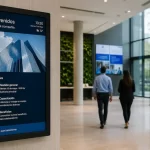

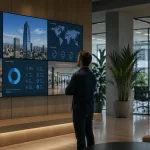
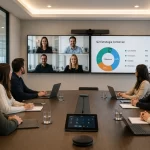
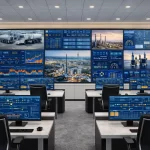
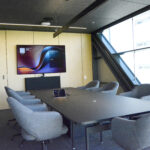
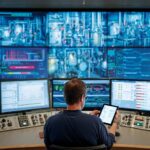
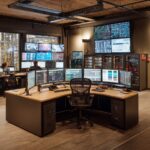
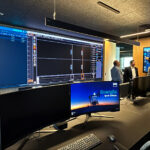




Imagine a canvas where every pixel comes to life, creating a giant mosaic that captures your audience's full attention. A video wall is precisely that: a set of screens joined together under a single frame, working as one to project images, videos, or data with an exceptional level of detail and brightness. Its fundamental components include display modules, signal controllers, mounting systems, and management software. By combining them, you get a high-impact visual environment capable of adapting to corporate spaces, auditoriums, command centers, and collaboration areas. Below, we will explore the anatomy of a video wall and the role each piece plays in creating an immersive and dynamic experience. Video walls are composed of display modules, image processors, mounting brackets, and high-speed cables. Each module functions as a piece of a visual puzzle, while controllers and software synchronize signals, color, and brightness to create a single, seamless image. The key lies in signal synchronization and bezel alignment. The system divides the image into multiple data streams that each module processes. The management software adjusts the geometry and color levels, unifying the final result with no noticeable gaps between panels. A video wall display offers versatility, scalability, and superior visual impact. You can expand or reconfigure the active area, adapt content dynamically, and achieve high brightness levels. Furthermore, its modularity facilitates maintenance and reduces long-term costs. In many corporate projects, video walls are part of a broader visual communication strategy. Combined with a digital signage platform, they allow for the distribution of dynamic content, metrics, campaigns, and corporate messages from a centralized administration hub. Technology is the heart of every video wall, making the difference between an ordinary presentation and an experience that dazzles. While LEDs dominate with their high brightness and wide viewing angles, options like LCD, OLED, or DLP add unique benefits: purer colors, deep blacks, or large-format projections. Below, we detail the features of each type to help you choose the alternative that best fits your project. LED video walls offer high pixel density, adjustable brightness up to 1,000 nits, and a wide viewing angle. Their low energy consumption and long lifespan (over 100,000 hours) make them the ideal choice for environments with high ambient light and continuous use. LEDs are direct-view, providing better contrast without the need for backlighting, while LCDs are typically more affordable and feature narrower bezels. The choice depends on the budget, space, and the brightness and contrast expectations of the project. OLEDs stand out for their infinite contrast and deep blacks, ideal for controlled environments. On the other hand, DLPs offer large-scale projection with high luminosity, perfect for auditoriums and control rooms where brightness is prioritized over ultra-high resolution. Samsung video walls have revolutionized the market. The company developed video walls that combine advanced image processors, ultra-slim bezels, and exceptional cooling systems. Thanks to Tizen OS and MagicInfo, managing content is as simple as using your smartphone. Let's look at the most striking models and the functionalities that place them at the forefront. Among the most popular Samsung video walls are the IF series (MicroLED) and the UDE series (Direct View LED). The IF series offers 4K resolution and bezels of just 0.9 mm, while the UDE stands out for its ease of installation and centralized management via Tizen OS. Native Tizen integration, ultra-slim bezels, and passive cooling are just some of the advantages that ensure color uniformity and continuous, uninterrupted performance. MagicInfo is Samsung's platform for controlling and scheduling content across multiple video walls. It allows you to update images and videos simultaneously, monitor the status of modules, and generate usage and efficiency reports. LG video wall displays stand out for their CLEDIS system and a modular structure that facilitates both installation and maintenance. With SuperSign CMS, remote content management is smooth and agile. Below, we review their flagship models and most relevant benefits. The main ones are the MAGNIT series (MicroLED) and the CLEDIS line. MAGNIT offers a 1.2 mm pixel pitch and high durability, while CLEDIS shines for its energy efficiency and interchangeable modules. Energy savings, light uniformity, and the ability to replace modules without stopping the entire installation place LG as a highly attractive option in terms of both cost and maintenance. SuperSign CMS facilitates playlist creation, brightness adjustment, and real-time hardware alert delivery, optimizing the user experience and system operations. Selecting the right display involves balancing resolution, brightness, and size without neglecting future scalability. You must also evaluate connectivity options, redundancy, and ease of maintenance. Here we break down each variable so your decision is backed by technical and business criteria. Define pixel density based on viewing distance and select a brightness level (minimum 500 nits indoors, 1,000 nits for outdoors) that guarantees readability without causing glare. Assess the available space to decide the number of modules and the aspect ratio. The 16:9 format is standard, but custom configurations (3×3, 4×1) can adapt to specific needs. Make sure you have HDMI, DisplayPort inputs, and daisy chaining solutions. Plan for the possibility of adding modules and consider redundant power supplies to prevent downtime. A well-planned setup avoids constant adjustments. First, check the load-bearing capacity and leave room for ventilation. Then, use modular metal profiles and follow a testing protocol to ensure alignment and image quality before putting it into operation. Verify the capacity of the wall or support, and leave room for ventilation and rear access. Use modular metal profiles that ensure precise alignment and facilitate maintenance. Implement test patterns and LUTs to adjust brightness uniformity, white balance, and gamma on each module, ensuring consistency across the entire screen. Check different sources (HD, 4K), and review synchronization and latency. Adjust the bezels and balance black levels until a perfect ensemble is achieved. Video walls transform conventional rooms into innovation hubs where information flows and everyone participates. Display real-time diagrams, alternate presentations, and connect with digital whiteboards: interaction skyrockets and decisions are reached sooner. From group video calls to brainstorming sessions with live content: a video wall makes it easy for everyone to participate without missing a detail, creating a more effective and stimulating teamwork experience. Large-format visualization speeds up the understanding of complex data, fosters creativity, and improves idea retention. Multidisciplinary teams can make faster, more informed decisions. Visit Collaboration spaces In critical environments, response speed is essential. With a video wall, operators can overlay CCTV cameras, data graphs, and real-time maps, all on a single screen. This gives them a panoramic view that improves incident management and security. From monitoring hubs and 911 emergency centers to industrial control rooms, video walls allow for the simultaneous visualization of multiple cameras and data streams, improving coordination and response capacity. Visit Video walls in mining: what benefits they bring to the operation Visit Monitoring centers and control rooms Configuring the system with duplicate signal sources and redundant power supplies ensures that the video wall never goes offline. This minimizes operational risks and maintains business continuity. A regular care plan maintains brightness and uniformity over time. Cleaning modules, inspecting connections, and updating firmware are simple tasks that prolong lifespan. Below, we explain how to organize your own maintenance protocol. Use soft cloths and approved cleaning products to remove dust and fingerprints. Inspect every connector and replace faulty modules promptly to prevent overall degradation. Detect dead pixels with test patterns, update firmware, and check for loose connections. Preventive maintenance reduces disruptions and extends service life. Contract a service with an SLA that includes remote monitoring. Keep software up to date to take advantage of stability improvements, new features, and security patches. Investing in a video wall goes beyond just a screen: it is an opportunity to capture attention, improve processes, and differentiate your brand. With modular and scalable solutions, you have the freedom to grow and adapt without losing quality. Take the step and turn your space into an innovative stage that leaves a mark on every viewer. The investment translates into greater visibility, more effective meetings, and an unforgettable user experience, all of which directly impact your productivity and customer satisfaction. Contact a certified integrator, schedule a technical visit, and define clear objectives. With a feasibility study, you will be ready to implement a solution that makes a difference. At Newtech Group, we have everything you need to create dynamic and engaging LED video walls, featuring premium and budget-friendly options, content management solutions, and fully customizable services, along with the support of our Professional Services. What is a video wall? A video wall is a multi-monitor setup consisting of multiple screens—such as monitors, projectors, or television sets—tiled together contiguously or overlapped in order to form one large, unified screen. These setups are often used for dynamic and engaging visual presentations in various environments, such as control rooms, event venues, or digital signage, providing high visibility for content. They are also known as mural displays within the market. How much does a video wall cost? Video wall costs vary considerably, with factors influencing the price including size, resolution, and installation requirements. Investing in an LED video wall can yield great benefits for businesses, venues, and organizations that host events regularly, as it enhances visual impact and audience engagement. How long do video walls last? Video wall displays typically last around 100,000 hours at full brightness, ensuring long-term performance and durability. This impressive lifespan guarantees reliability for various applications, making them a valuable investment for businesses seeking impactful digital displays. Regular maintenance can further enhance the longevity of video wall displays, ensuring optimal performance over time. What is video wall software? Video wall software is a tool designed to manage and control multiple displays, video processors, and connected devices. It offers a user-friendly interface that provides a real-time overview and management of video wall displays and content sources, ensuring efficient operation and seamless content integration across the entire video wall system.What is a Video Wall? Definition and Key Components
Main Components of a Video Wall
How Module Joining Works
Key Advantages of a Video Wall
Types of Video Walls: LED and Other Technologies
Characteristics of an LED Video Wall
Comparison: LED vs. LCD Video Walls
Other Technologies: OLED and DLP
Samsung Video Walls: Innovation and Features
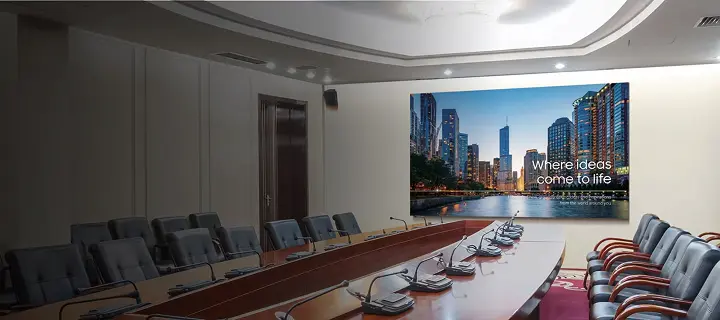
Featured Samsung Video Wall Display Models
Competitive Advantages of Samsung Video Walls
Ecosystem and Management Software
LG Video Walls: Innovation and Features
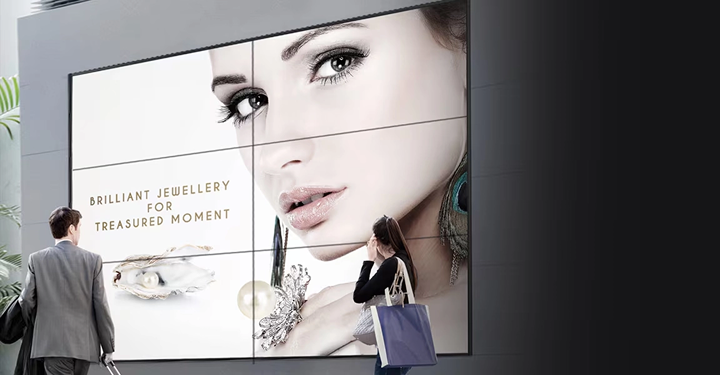
Featured LG Video Wall Models
LG's Competitive Advantages
Technology and Management Software
How to Choose Your Video Wall Display: Factors to Consider
Optimal Resolution and Brightness
Size, Format, and Layout
Connectivity, Scalability, and Redundancy
Installation and Deployment of a Video Wall
Space Requirements and Mounting Structure
Control Software and Color Calibration
Initial Testing and Adjustments
Video Wall Applications in Collaboration Spaces
Practical Examples in Collaborative Work Environments
Benefits of Visual Collaboration
Video Walls for Monitoring Centers and Control Rooms
Use Cases in Security and Surveillance
Efficiency and Redundancy Benefits
Maintenance and Support for Your Video Wall
Cleaning, Inspection, and Module Replacement
Diagnosis and Troubleshooting of Common Faults
Technical Support and Software Updates
Why Invest in a Video Wall Today
Return on Investment and Key Benefits
Initial Steps for Your Video Wall Project
Frequently Asked Questions About Video Walls