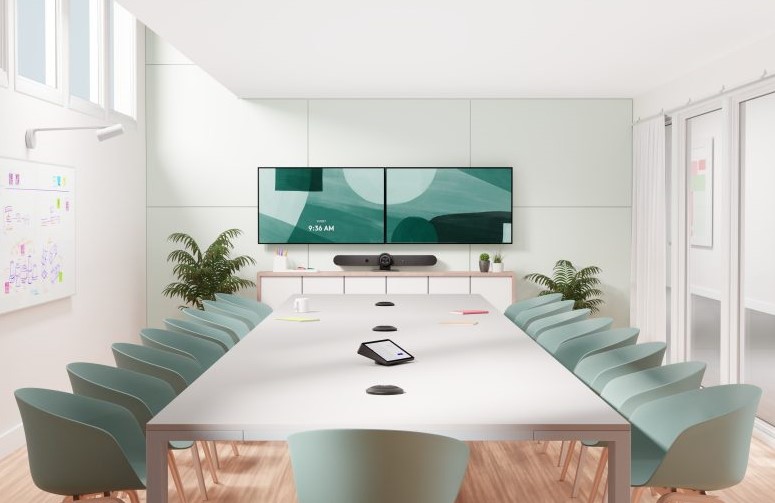
he Logitech Rally Bar is an all-in-one video conferencing bar built for medium and large meeting rooms, combining a 4K PTZ camera, six beamforming microphones and dual speakers in a single device. This guide covers the full Logitech Rally Bar specifications, the room sizes it fits best, how it integrates with Microsoft Teams and Zoom, and how it compares to the Rally Bar Mini, Rally Bar Huddle and Rally Plus — so you can decide whether it is the right fit before you buy.
When you choose equipment, look at the whole space, not just one device. In our corporate meeting room projects we define the right setup based on room size, number of participants and the platform each organization uses. Evaluating meeting room equipment correctly lets you match the solution to the room, and you can also compare alternatives in our video conferencing cameras and bars.
What is the Logitech Rally Bar?
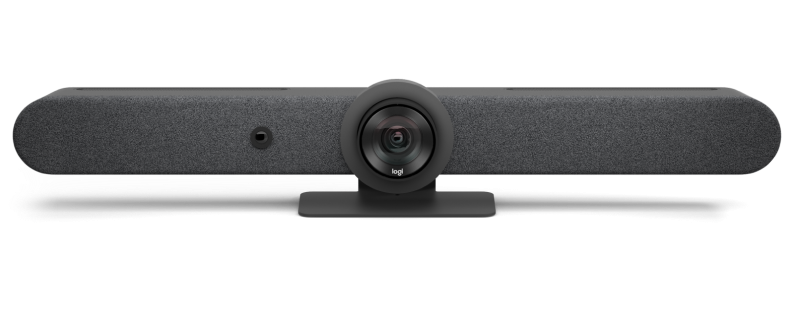
Logitech Rally Bar
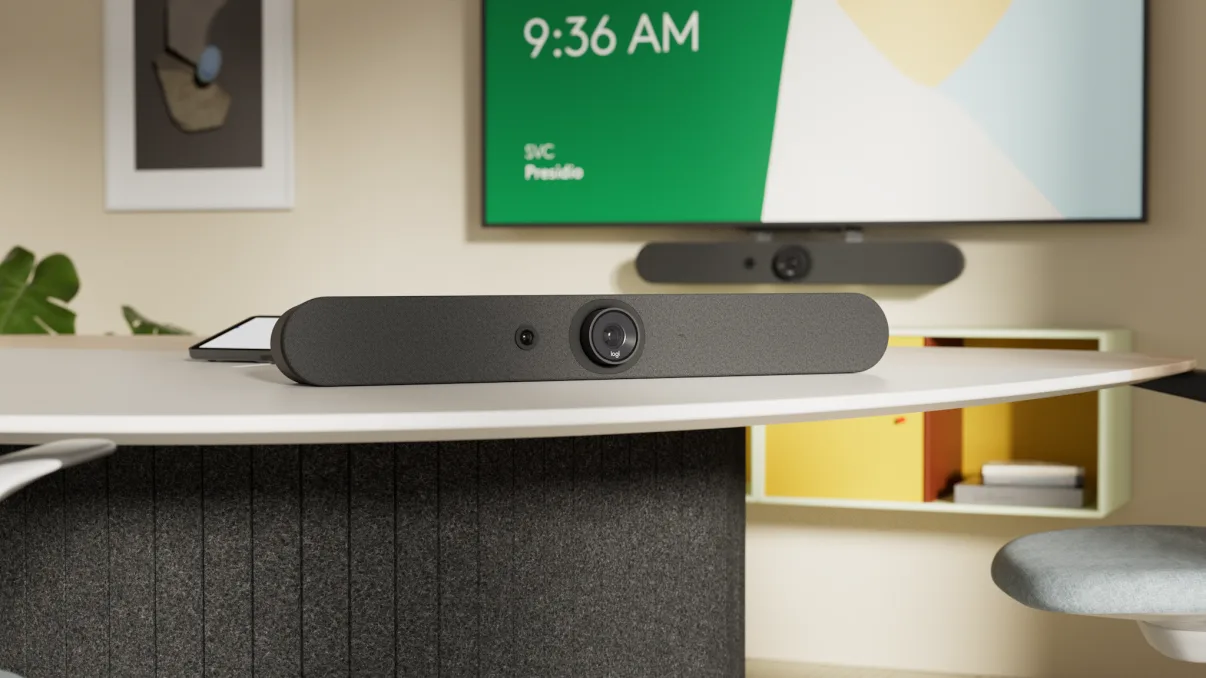
The Logitech Rally Bar is a premier all-in-one video bar designed for medium to large rooms with up to around 20 participants. It integrates a high-quality PTZ camera, an adaptive microphone array and speakers into one bar, and runs on Logitech CollabOS. It can operate in appliance mode — running Microsoft Teams Rooms or Zoom Rooms directly on the device with no separate PC — or in BYOD/USB mode, connected to a laptop. Its goal is simple: clear, professional, plug-and-play communication for corporate spaces.
Logitech Rally Bar Technical Specifications
The table below summarizes the key Logitech Rally Bar technical specifications for quick reference. Specifications are based on Logitech's official documentation and may vary by region and firmware version.
Specification
Logitech Rally Bar
Recommended room size
Medium to large rooms, up to ~20 participants
Camera
4K Ultra HD PTZ with motorized pan/tilt (±25° / ±15°)
Zoom
15X HD zoom (5X optical + 3X digital)
Field of view
90° diagonal (82.1° horizontal), up to 132.1° total room coverage
Video resolutions
4K, 1440p, 1080p, 900p, 720p, SD at 30 fps
Microphones
6 omnidirectional MEMS mics, 5 adaptive beams, ~15 ft (4.5 m) pickup
4K PTZ camera: Ultra-HD resolution with 15X zoom and motorized pan/tilt for true room coverage.
Adaptive audio: Six beamforming microphones that focus on whoever is speaking, anywhere in the room.
Platform compatibility: Certified for Microsoft Teams, Zoom and Google Meet, in appliance or BYOD mode.
AI auto-framing: RightSight automatically frames participants and follows the conversation.
Clean, modular design: Minimalist bar that mounts on a wall or sits on furniture, with integrated cable management.
What Room Size is the Logitech Rally Bar For?
One of the most common buyer questions is which Rally device fits a given space. The Logitech Rally Bar is built for medium to large rooms, comfortably covering participants seated 15 feet (about 4.5 m) or more from the display, for groups of roughly 10 to 20 people. For larger rooms, its audio can be extended with additional Rally Mic Pods so no voice is missed.
Use this quick guide to match the right model to your room:
Huddle / small rooms (up to ~6 people): Rally Bar Huddle.
Small to medium rooms (up to ~12 people): Rally Bar Mini.
Medium to large rooms (up to ~20 people): Rally Bar.
Large rooms, boardrooms and auditoriums: Rally Plus modular system, or Rally Bar with expansion mic pods.
If you are unsure, our team can size the room for you and recommend the exact configuration.
Logitech Rally Bar with Microsoft Teams and Zoom
Platform integration is the second big concern for B2B buyers, especially around mixed Teams and Zoom environments. The Logitech Rally Bar is certified for Microsoft Teams, Zoom and Google Meet, and supports two deployment modes:
Appliance mode: The bar runs Microsoft Teams Rooms or Zoom Rooms natively on Logitech CollabOS — no external PC required. Ideal for permanent, single-platform rooms.
BYOD / USB mode: Connect a laptop over USB-C and run any platform, including Webex, GoTo or proprietary clients. Ideal for rooms used by guests or multiple platforms.
Switching between Teams and Zoom
A frequent issue businesses raise is moving between platforms in the same room. With the Rally Bar you can dedicate the room to one platform in appliance mode, or keep it flexible: switch to BYOD mode and the bar acts as a USB camera, mic and speaker for whatever a presenter plugs in. Pairing it with a Logitech Tap or Tap IP touch controller gives a one-touch join experience and reduces the most common support tickets around starting and switching meetings.
Managing the deployment
Devices can be monitored, updated and configured remotely through Logitech Sync, which helps IT avoid firmware and integration problems before they reach end users. Centralized management is a key reason organizations standardize on the Rally family across multiple rooms.
Smart Audio Technology
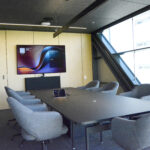
Logitech Rally Bar in a boardroom
The microphones of the Logitech Rally Bar use RightSound technology, which filters out background noise such as keyboard typing or air conditioning while dynamically focusing on the active speaker. The six-microphone array forms adaptive acoustic beams that follow the conversation, so communication stays clear regardless of where people sit.
The integrated speakers distribute sound evenly across the room, so attendees near the bar and at the far end hear consistent audio. Automatic echo cancellation removes the feedback that occurs when microphones pick up speaker output, keeping conversations natural and distraction-free.
For larger spaces, the audio system expands with up to four additional Rally Mic Pods, ensuring every participant is heard clearly no matter the room size.
Installing the Logitech Rally Bar
Step-by-Step Installation Guide
Choose a strategic location, ideally below or above the main display.
Mount the bar on the wall or place it on a stable surface using the included stand.
Connect power and your network via Ethernet, then connect to the display over HDMI (or to a laptop over USB-C for BYOD mode).
Select the platform — Microsoft Teams Rooms, Zoom Rooms or BYOD — during first-time setup.
Pair a Tap controller if used, then test audio, video and auto-framing before going live.
Recommendations to Optimize Installation
Ensure the camera has an unobstructed field of view of the seating area.
Avoid direct light sources or windows behind participants that may affect image quality.
For long or wide tables, add Rally Mic Pods to guarantee even voice pickup.
Enroll the device in Logitech Sync for remote monitoring and updates.
Logitech Rally Bar vs Mini vs Plus: Comparison
Buyers frequently compare the Rally Bar against the rest of the family and against simpler devices like the Logitech MeetUp. Compared with basic webcams or compact bars, the Rally Bar is a comprehensive solution with superior audio and video and native platform support. Within the Rally family, each model targets a specific room size:
The Rally Bar Mini is the ideal solution for small to medium rooms and compact collaboration spaces. It keeps 4K image quality and advanced audio in a more compact, all-in-one design, supporting up to around 12 participants and expandable with Rally Mic Pods.
Rally Plus
For large rooms and boardrooms, the modular Rally Plus solution offers an ultra-HD imaging system, two large speakers and two Rally Mic Pods out of the box, with room to scale audio coverage further — ideal when you need maximum flexibility in bigger spaces.
Expanding audio with Rally Mic Pods
To cover larger or oddly shaped rooms, the Rally Bar connects to additional Rally Mic Pods (via the Rally Mic Pod Hub where needed), extending microphone coverage so every participant is heard. This makes the Rally family scalable as your meeting spaces grow.
Want help choosing? Learn more about how the Rally Bar Mini, Rally Bar and Rally Plus can transform your meetings, or request a recommendation for your specific rooms.
What Do Customers Say About the Logitech Rally Bar?
B2B buyers evaluating the Rally Bar consistently highlight a few points. Setup and daily use are simple thanks to one-touch join and CollabOS, which lowers support load for IT teams. Audio and auto-framing perform well even near the edges of the rated pickup range, so remote participants see and hear the room clearly.
And because the same platform (Logitech Sync) and accessories work across the whole Rally family, organizations can standardize meeting rooms of different sizes on one ecosystem. The most common considerations are upfront cost versus simpler bars and deciding between appliance and BYOD mode — both of which come down to how each specific room will be used.
FAQs About the Logitech Rally Bar
1. What room sizes are ideal for the Logitech Rally Bar?
The Logitech Rally Bar is ideal for medium to large rooms with up to about 20 people, covering participants 15 feet or more from the display. Smaller rooms are better served by the Rally Bar Mini or Rally Bar Huddle.
2. Does the Logitech Rally Bar work with Microsoft Teams and Zoom?
Yes. It is certified for Microsoft Teams, Zoom and Google Meet. It can run Teams Rooms or Zoom Rooms natively in appliance mode, or work as a USB device in BYOD mode for any platform.
3. Is it compatible with Mac and Windows?
Yes, in BYOD/USB mode the Logitech Rally Bar is fully compatible with Mac and Windows.
4. What are the camera specifications of the Rally Bar?
A 4K Ultra HD PTZ camera with 15X zoom (5X optical, 3X digital), motorized pan/tilt and a 90° diagonal field of view, supporting resolutions up to 4K at 30 fps.
5. Can the microphone system be expanded?
Yes. The Rally Bar supports up to four additional Rally Mic Pods (with up to two Rally Mic Pod Hubs) to cover larger rooms.
6. Does it require technical knowledge to install?
No. Installation is straightforward, and devices can be configured and updated remotely through Logitech Sync without advanced technical skills.
7. What is included in the Logitech Rally Bar package?
The package typically includes the bar, a table stand, mounting hardware, power and connection cables, and a remote control. Touch controllers such as Logitech Tap are sold separately.
Conclusion
The Logitech Rally Bar is more than a video bar: it is a scalable, easy-to-manage solution for medium and large meeting rooms, with 4K video, adaptive audio and native Microsoft Teams and Zoom support. Matched to the right room size and deployment mode, it is a smart, future-proof investment for hybrid work.
Ready to Equip Your Business with the Logitech Rally Bar?
Don't wait any longer! Transform your meetings today and make a difference to your team.
Contact us now using the form below — we'd be happy to help with custom quotes or to schedule a live demo.
Share
Talk to a specialist in communications and videoconferences
If you are looking for advice on technological solutions in videoconferences please write us!