
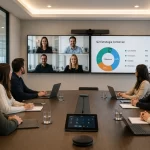




Hybrid classrooms are learning spaces designed to combine in-person teaching with online participation. In a hybrid classroom, students can attend physically in the room or connect remotely through video conferencing, digital platforms, interactive displays, and collaboration tools. This model is also known as hybrid learning, hybrid education, blended learning, or hybrid classes. Its main goal is to create a flexible learning experience that keeps the benefits of face-to-face education while adding the accessibility and scalability of online learning. In this article, we explain what hybrid classrooms are, how hybrid classes work, which education models are most common, what technology is required, and how to plan a successful hybrid classroom setup. Hybrid classrooms are classrooms equipped and organized to support both in-person and remote students at the same time. They combine the physical classroom experience with digital learning tools, allowing teachers and students to interact regardless of where they are located. A hybrid classroom is not just a traditional classroom with a webcam. To work properly, it needs the right combination of audiovisual technology, teaching methodology, connectivity, and classroom design. Students joining remotely should be able to see, hear, participate, ask questions, collaborate, and follow the class as naturally as possible. For example, a teacher may deliver a lesson from a physical classroom while some students are sitting in the room and others are connected through a video conferencing platform. The teacher can use an interactive display, share digital content, receive questions from remote students, and organize collaborative activities between both groups. A hybrid class is a class that combines face-to-face learning with online learning. This can happen in different ways depending on the institution, the subject, the students, and the available technology. In some cases, students attend in person on specific days and complete online activities during the rest of the week. In other cases, some students are physically present while others join the same class remotely. A hybrid class may also include recorded lessons, digital assignments, online discussions, virtual assessments, and collaborative platforms. The key idea is that learning does not depend on only one format. Hybrid classes allow education to happen across physical and digital environments. Although these terms are often used together, they refer to different learning environments. The main advantage of hybrid classrooms is that they bring together the strengths of both formats: the direct interaction of face-to-face education and the flexibility of online learning. Hybrid classrooms work by connecting the physical classroom with remote participants through technology. The teacher can present content, interact with students in the room, communicate with students online, and manage digital learning activities from the same environment. A typical hybrid class may include: When the setup is well designed, remote students do not feel like passive viewers. They can actively participate in the class, interact with the teacher, collaborate with classmates, and access learning materials in real time. A successful hybrid classroom setup depends on the size of the room, the number of students, the teaching style, and the level of interaction required. However, most hybrid classrooms need a combination of audio, video, display, connectivity, and collaboration tools. The most important elements of a hybrid classroom setup include: The right setup should be easy for teachers to use. If the technology is too complex, adoption becomes difficult and the hybrid learning experience loses effectiveness. Hybrid classroom technology is the set of tools that makes it possible to teach and learn across physical and virtual environments. These technologies help connect students, display content, capture audio and video, and support collaboration. The most common technologies used in hybrid classrooms are: For institutions that need a complete solution, hybrid classrooms can be integrated with video conferencing equipment, interactive screens, collaboration platforms, and room control systems. Hybrid classes can be implemented in different ways depending on the learning objective. These are some common examples: These examples show that hybrid learning is not a single fixed format. It is a flexible model that can be adapted to schools, universities, training centers, and corporate learning environments. Hybrid education offers different models and approaches that combine face-to-face and online teaching. Each model can be adapted to different educational stages, subjects, and institutional needs. In the station rotation model, students rotate through different learning stations. At least one of these stations includes a digital activity. This model is especially useful in early education and primary school because it allows teachers to combine guided work, independent activities, and technology-based learning. The lab rotation model is similar to station rotation, but one of the learning stations takes place in a computer lab or technology room. Students use digital platforms, educational software, or online content as part of the learning process. In the individual rotation model, each student follows a personalized learning path. Students do not necessarily rotate through every station. The teacher, the institution, or a digital platform defines the path according to each student’s needs, performance, or learning goals. In the flipped classroom model, students review content online before attending class. This may include videos, readings, recorded lessons, or digital resources. Classroom time is then used for discussion, questions, exercises, projects, or deeper learning activities. The flex model gives students more autonomy. Most of the learning happens online, while teachers provide support, guidance, and instruction when needed. This model is useful when students need to progress at different speeds. In the a la carte model, students combine face-to-face classes with one or more online courses. This allows them to expand their learning experience and access subjects or resources that may not be available in the physical classroom. In the enriched virtual model, most of the learning takes place online, but students also attend scheduled face-to-face sessions. These sessions may be used for tutoring, practical activities, assessments, group work, or direct interaction with teachers. Hybrid classrooms offer several benefits for students, teachers, and educational institutions. When properly implemented, they can improve access, flexibility, participation, and learning continuity. Hybrid classrooms also present challenges that need to be considered before implementation. The most common issues are related to technology, training, access, and classroom management. One major challenge is the digital divide. Students need access to devices, connectivity, and basic digital skills. Teachers also need training to design lessons that work for both in-person and remote participants. Another key challenge is the quality of the technical experience. Poor audio, low-quality video, unstable internet, or difficult-to-use equipment can negatively affect the class. In hybrid education, audio quality is especially important because remote students must clearly hear the teacher and classroom discussion. For this reason, a hybrid classroom should be planned as a complete learning environment, not as a collection of disconnected devices. Interactive displays play an important role in many hybrid classrooms because they help teachers present information visually and interact with digital content in real time. With interactive touch screen displays from i3 Technologies, teachers can write, draw, annotate, share content, and create more engaging learning experiences. These tools support both in-person students and remote participants by making lessons more visual and collaborative. In this video, you can see some of the functionalities and capabilities of these tools: For hybrid education to be truly effective, it is not only necessary to have digital tools. Institutions also need flexible and well-equipped collaboration spaces that support interaction, teamwork, and active participation. Modern collaboration spaces integrate technology such as interactive displays, wireless content sharing, video conferencing systems, and flexible furniture. These environments help connect physical and virtual learning by allowing students to participate whether they are in the room or joining remotely. A well-designed hybrid classroom makes remote students feel included and gives in-person students better access to digital resources. This improves participation and creates a more balanced learning experience. Implementing a hybrid classroom requires planning. Before selecting equipment, institutions should define their teaching model, analyze the room, understand user needs, and make sure teachers can operate the technology with confidence. A basic implementation process may include: The best hybrid classroom setup is the one that supports teaching without creating unnecessary technical barriers. Hybrid classrooms can be adapted to different education levels, but the implementation should not be the same in every case. In early education and primary school, hybrid learning usually requires more teacher guidance, simple digital activities, and structured routines. In secondary education and universities, students can work with more autonomy, online resources, virtual discussions, and digital assignments. In corporate training environments, hybrid classrooms are useful for connecting teams, offices, experts, and employees across different locations. This makes them valuable not only for schools and universities, but also for companies and professional training centers. Hybrid classrooms continue to grow because they solve a real need: making education more flexible without losing the value of in-person interaction. Students, teachers, and organizations increasingly need learning environments that can adapt to different locations, schedules, and ways of learning. Hybrid classrooms make it possible to combine direct classroom interaction with digital tools, remote access, and scalable educational resources. As technology becomes easier to use and institutions continue to modernize their spaces, hybrid classrooms will remain an important part of the future of education and professional training. At Newtech Group, we help educational institutions, training centers, and organizations design technology solutions for hybrid classrooms and hybrid learning spaces. Our team can help you define the right combination of interactive displays, cameras, microphones, speakers, video conferencing equipment, connectivity, and collaboration tools for your environment. If you are planning a hybrid classroom setup or want to improve your current learning spaces, we can help you design a solution adapted to your needs. Hybrid classrooms and hybrid classes are transforming the way education and training are delivered. By combining in-person interaction with online access, they create more flexible, inclusive, and collaborative learning experiences. The team at Newtech Group can help you implement technology solutions for hybrid education, improve student engagement, and design smart learning environments. We can also support the design of meeting rooms and collaboration spaces for educational and corporate needs.What are hybrid classrooms?
What is a hybrid class?
Hybrid classrooms vs. online classrooms vs. traditional classrooms
How do hybrid classrooms work?
Hybrid classroom setup: what do you need?
Hybrid classroom technology
Examples of hybrid classes
Hybrid education models
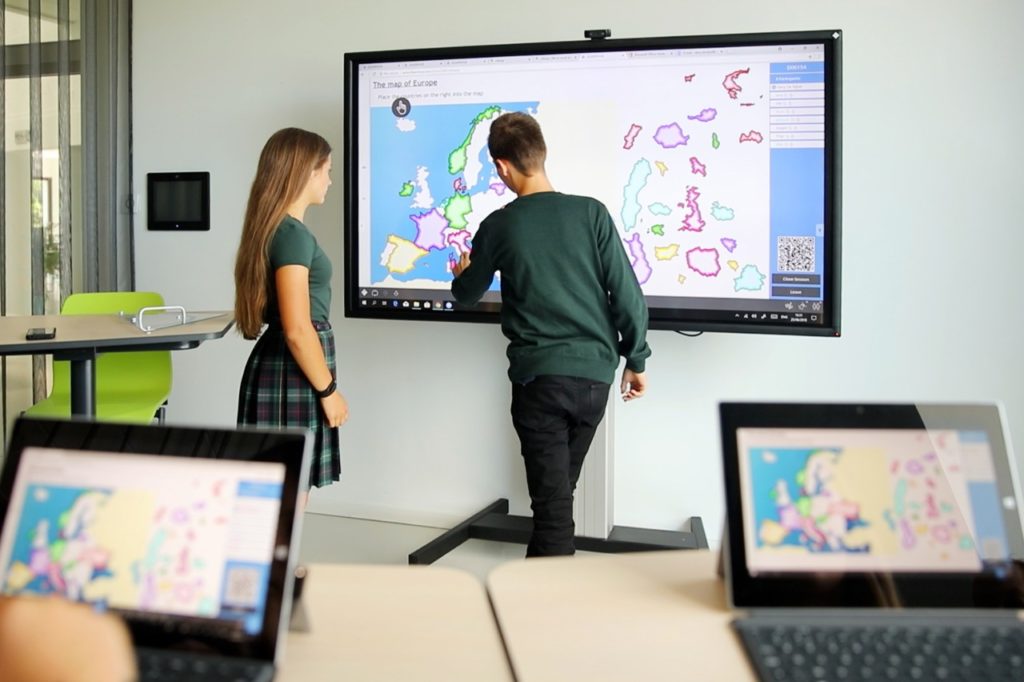
Station rotation
Lab rotation
Individual rotation
Flipped classroom
Flex model
A la carte model
Enriched virtual model
Benefits of hybrid classrooms
Challenges of hybrid classrooms
Interactive displays for hybrid classrooms
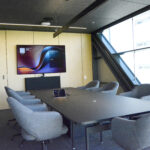
The importance of collaboration spaces in hybrid classrooms
How to implement a hybrid classroom
Are hybrid classrooms suitable for all education levels?
Why hybrid classrooms continue to grow
Hybrid classroom solutions
Frequently asked questions about hybrid classrooms and hybrid classes
Hybrid classrooms are learning spaces designed to combine in-person teaching with online participation. They allow students in the room and remote students to participate in the same class.
A hybrid class is a class that combines face-to-face learning with online learning, either at the same time or through a planned mix of physical and digital activities.
Hybrid classrooms use video conferencing, cameras, microphones, speakers, interactive displays, and digital platforms to connect in-person and remote students.
A hybrid classroom usually needs a video conferencing camera, microphones, speakers, an interactive display, reliable internet, collaboration tools, and a learning platform.
A hybrid classroom setup is the complete combination of room design, audiovisual equipment, connectivity, software, and teaching workflows needed to support hybrid learning.
Hybrid classrooms provide flexibility, better access to education, learning continuity, more personalized learning, and stronger collaboration between in-person and remote students.
The main challenges include digital access, teacher training, audio and video quality, classroom management, and the need for reliable technology.
The terms are often used similarly. Blended learning usually refers to a planned mix of online and face-to-face activities, while hybrid learning often includes simultaneous participation from in-person and remote students.
Yes. Hybrid classrooms are very useful for corporate training because they allow employees from different offices or locations to participate in the same session.
To implement a hybrid classroom, define the learning model, analyze the room, select the right technology, train teachers, test the experience, and adjust based on feedback.