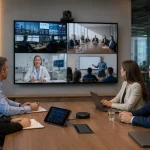
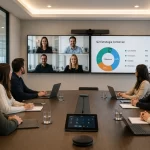
A video conferencing camera is not a generic product. The space, workflow, and technical requirements vary significantly across industries. A control room in Oil & Gas, a boardroom in a bank, a telemedicine consultation room in a hospital, and a hybrid classroom in a corporate training center do not have the same needs—even though they all require video conferencing.
This article analyzes which type of solution works best in each context, based on the real-world challenges faced by each sector.
Oil & Gas: Video Conferencing in Critical Environments
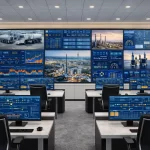
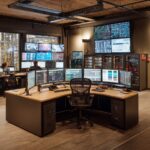
In the Oil & Gas sector, video conferencing is not just a communication tool; it is a core part of operations. Control rooms, operations centers, and incident management spaces require video systems that run continuously, integrate with other room systems, and are available when they are needed most.
Industry-Specific Challenges:
- Meetings often involve teams across different locations simultaneously—field operations, headquarters, and third parties.
- Control rooms feature multiple screens and integrated systems; the camera must be part of that ecosystem, not an isolated peripheral.
- Uptime is critical: a video conferencing system failure during an emergency has real operational consequences.
Solutions That Work in This Context:
- PTZ with Remote Control and IP Integration: These allow the camera to be directed from the room's control system, without relying on a physical operator.
- Crestron Integration: For organizations that already use Crestron for centralized control of their rooms, compatible cameras can be managed from the same interface as the rest of the AV equipment.
- Redundancy and High Availability: The solution design must focus on operational continuity, not just image quality.
Banking and Finance: Image, Privacy, and the Boardroom
In the financial sector, video conferencing takes place in very different contexts: board meetings, investor pitches, conversations with regulators, internal team meetings, and high-value client interactions. Each of these scenarios has distinct requirements.
Industry-Specific Challenges:
- The image projects the brand: in meetings with investors or key clients, visual quality is a vital part of institutional perception.
- Privacy and communication security are non-negotiable requirements in many regulatory environments.
- Boardrooms are typically high-budget spaces where a flawless experience is expected.
Solutions That Work in This Context:
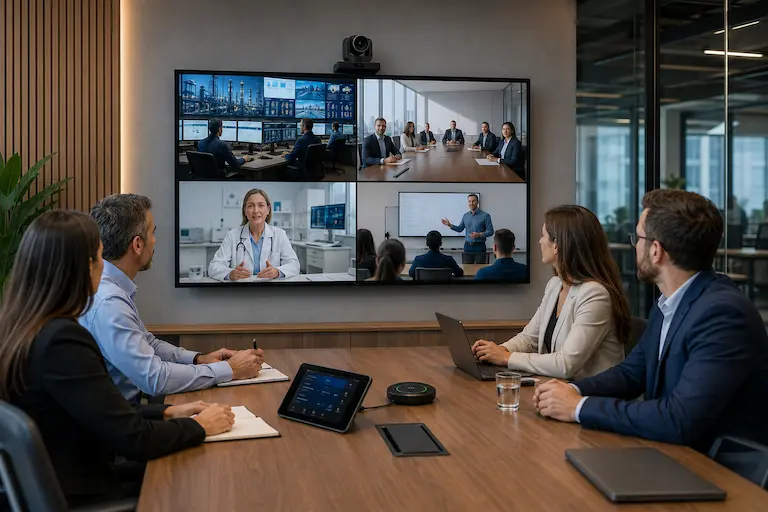
- High-End PTZ in the Boardroom: For long tables with multiple participants, a PTZ camera with speaker tracking ensures that remote participants always see who is talking.
- Microsoft Teams Certified Systems: Many financial organizations use Teams as their corporate platform; certified devices guarantee native integration with the platform's security and management ecosystem.
- Secure Video Conferencing Room: For regulatory meetings or sensitive information, the solution includes not just the camera but the complete room design with appropriate privacy controls.
Hospitals and Healthcare: Clinical Clarity and Ease of Use
Telemedicine, distributed clinical meetings, and remote medical training require video conferencing systems that deliver sharp images, are simple for non-technical staff to operate, and integrate into clinical workflows.
Industry-Specific Challenges:
- The image must be sharp enough to observe clinical details in certain contexts (telemedicine consultations, reviewing studies in multidisciplinary meetings).
- Clinical staff are not tech experts: systems must function without extensive training and without requiring IT support for every use.
- Laboratories and research spaces have more complex needs: multiple video feeds, integration with medical equipment, and high-quality audio to track technical discussions.
Solutions That Work in This Context:
- All-in-One for Consultations and Clinical Meeting Rooms: Systems like the Poly Studio R30 or the Logitech Rally Bar offer simplicity and great image quality without requiring technical configuration for every session.
- PTZ for Medical Training Rooms: When the space involves presentations, broadcasted live surgeries, or multi-participant training, a PTZ camera with presenter tracking ensures the content reaches remote participants clearly.
- Audio and Video Integration in Labs: For connected research spaces, the solution combines cameras, distributed microphones, and video feed management from a centralized system.
Education and Corporate Training: The Hybrid Classroom
Hybrid corporate training—where part of the group is physically present and another part is connected remotely—is one of the most demanding formats for any video conferencing system. The instructor or facilitator needs to connect with all participants equally, regardless of where they are.
Industry-Specific Challenges:
- The classroom has an active front area (presenter, whiteboard, display) and a distributed audience. The camera must cover both contexts.
- The facilitator moves around: gesturing, writing, interacting with the group. The system must follow them without anyone having to manually operate the camera.
- Remote participants need to see the projected content clearly, not just the presenter.
Solutions That Work in This Context:
- PTZ with Presenter Tracking: The camera automatically follows the facilitator as they move, without requiring an operator. Models from i3-Technologies and Poly have this functionality built-in.
- Interactive Display + Integrated Camera: Solutions such as those from i3-Technologies combine an interactive whiteboard with a camera, capturing both the content and the presenter from a single piece of equipment.
- Distributed Audio: In crowded classrooms, the microphone must pick up both the presenter and the participants when they ask questions. Ceiling or tabletop microphones complement the camera to complete the experience.
The Right Solution Depends on the Operational Context
Choosing a video conferencing camera for an enterprise environment is not a catalog decision. The industry, room type, workflow, and platform determine which solution actually solves the problem.
At Newtech Group, we work with organizations across different sectors—Oil & Gas, finance, healthcare, and corporate education—to design and implement video conferencing solutions tailored to the actual operational context, not a generic list of specifications.
→ Check out the cameras we work with or contact us to analyze your organization's specific needs.