




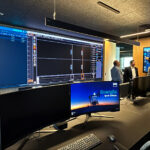





Equipping a meeting room well isn't about buying the most expensive camera: it's about choosing the right technology for the size of the space and the way your team works. In this guide we walk through, point by point, what you need to evaluate before investing. And if you'd rather jump straight to the options, check out our AV equipment for meeting rooms or our turnkey meeting room solutions. Technology requirements vary by space: a huddle space for spontaneous 3-to-4-person meetings is not the same as a formal conference room, a classroom, or an auditorium. In many companies, large and formal rooms coexist with smaller, more collaborative spaces, and each one calls for a different level of equipment. The shift toward virtual meetings is here to stay. With the rise of remote work, video conferencing has become the standard: if you want your team to collaborate without being in the same physical location, the room needs technology that supports hybrid meetings with platforms like Microsoft Teams or Zoom. Let's look at the essential components. Video conferencing equipment is the technological core of the room. With the right hardware you can hold one-on-one, group, hybrid, or large-scale meetings. The type of equipment depends on your specific needs: the number of participants, the table layout, and whether the meeting is audio-only or includes video. Most video conferencing systems also offer screen sharing, so participants can share documents, websites, and images. The camera is chosen based on the space and the type of meeting. A video conferencing room camera can incorporate a wide-angle lens, optical zoom, auto-framing, or speaker tracking to improve the experience for remote participants. Many systems also add management features —dial-in and dial-out numbers, call recording, and integrated voicemail— that help you run meetings more efficiently. Audio is, in practice, what defines the experience for remote participants the most. Mediocre video is tolerated; audio with echo or dropouts makes the meeting fail. Depending on room size, you'll need tabletop, ceiling, or wireless microphones —always with noise and echo cancellation. In rooms with glass walls or hard floors, add acoustic treatment: without it, no microphone performs the way it should. One of the great advantages of virtual meetings is engaging participants beyond audio and video. With the right technology, the room becomes a collaborative space. Multi-user interactive displays —also known as collaborative wall displays— let everyone add content, comments, and ideas in real time, directly on the board. There are several types on the market: traditional whiteboards, electronic whiteboards, electronic boards, and interactive glass boards. When choosing, think about what your participants need most and how they usually work. Internet-connected interactive displays take collaboration a step further: participants can draw, write, and receive real-time updates, and access collaboration tools from anywhere. Their main advantage over conventional displays is that they require no cables or physical proximity to the device to share content. Anyone can contribute and see others' work instantly, which improves communication among all participants, both in-room and remote. Before you buy, answer these three questions: Prefer not to build it yourself? At Newtech Group we design, equip, and integrate meeting rooms tailored to your needs —from the initial consultation to managed support—. Request a free demo and we'll advise you based on your space. Virtual meetings are an excellent way to engage your team no matter where they are, but they only work if the room is properly equipped. The key is choosing the right video conferencing system, good audio, and collaboration displays that match the size of the space. If you want a concrete recommendation for your case, the best first step is a diagnostic of your meeting room.1. Video Conferencing Equipment
2. Audio: The Factor With the Biggest Impact
3. Collaboration Tools for Teamwork
4. Internet-Connected Interactive Displays
Quick Checklist Before Equipping Your Room
Conclusion